
Is it time to replace your phone battery? Signs, choosing the right one, and replacing it safely
Fast drain, sudden shutdowns or a swollen back? Learn the signs of a worn phone battery, how to match the right model code and how to get it replaced safely.
On this page
Your phone was fine a year or two ago. Now it needs the charger by lunchtime, switches off at 25% and feels warm in your pocket. Before you buy a new handset, know that the problem is often the battery alone. A phone battery replacement costs far less than a new phone and can make an older handset feel usable again.
We have sold electronics in Burewala since the 1960s, and mobile batteries are a big part of what we stock. This guide covers how to tell when a battery is finished, how to buy the right one and how to get it fitted safely.
Signs your phone battery is wearing out
Every lithium-ion battery loses capacity as it ages, and the signs come on slowly.
Fast drain
If a full charge used to last all day and now lasts half a day with the same use, the battery is holding less charge. First check your battery settings to make sure a single app is not using too much power.
Sudden shutdowns at 20–30%
This is one of the clearest signs. A worn battery cannot hold its voltage steady when the phone suddenly needs more power, for example when you open the camera. The phone sees the dip and switches off, even though the screen showed charge left.
Slow or odd charging
Charging that stops and starts, or a percentage that jumps up and down, can point to a tired battery. It can also be a bad cable, adapter or charging port, so try a known good charger first.
Heat
Some warmth while charging or gaming is normal. A phone that gets hot while idle needs attention.
Swelling: stop using it straight away
If the back cover is lifting, the screen is being pushed up or the phone no longer sits flat, the battery may be swelling. Switch the phone off, unplug it and do not charge it again.
A swollen lithium battery is damaged and can catch fire if it is pressed, bent or punctured. Do not push the cover back into place. Take the phone to a technician as soon as you can.
How to check your battery health
iPhone
Go to Settings → Battery → Battery Health (called Battery Health & Charging on newer iOS versions). Maximum Capacity shows how much charge the battery holds compared with when it was new, and iOS shows a service message when the battery is badly worn. Many people replace it once Maximum Capacity is around 80% and battery life feels short.
After a non-Apple battery is fitted, newer iPhones may show a message that the part cannot be verified, and Battery Health may stop showing a figure. The phone still works normally.
Android
This varies by brand and software version. Some newer phones show battery health or charge cycles under Settings → Battery or About phone. Samsung owners can run a battery check from the diagnostics section of the Samsung Members app, and other brands may have a similar tool in their own support app.
Dialer codes shared online differ between brands and often do nothing on newer phones. If your phone shows no health figure, go by the symptoms above.
Why batteries wear out
Charge cycles. One cycle means using 100% of the battery's capacity in total, whether in one go or across several partial charges. A battery can only go through a limited number of cycles before its capacity drops noticeably.
Heat. Heat speeds up chemical ageing inside the battery. A Punjab summer, a phone left on a car dashboard or gaming while charging all add up.
Deep discharges. Regularly running the phone down to 0% stresses the battery more than topping it up from the middle.
Choosing the right replacement battery
Match the model code, not just the phone name
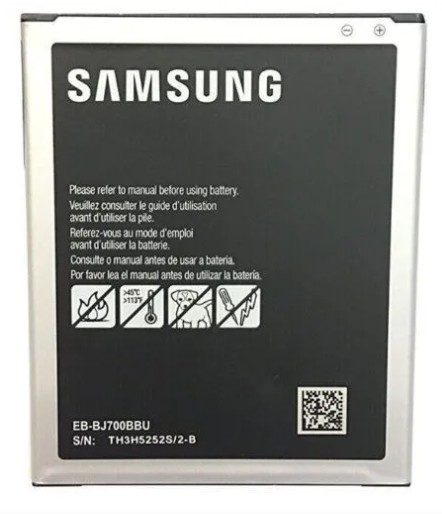
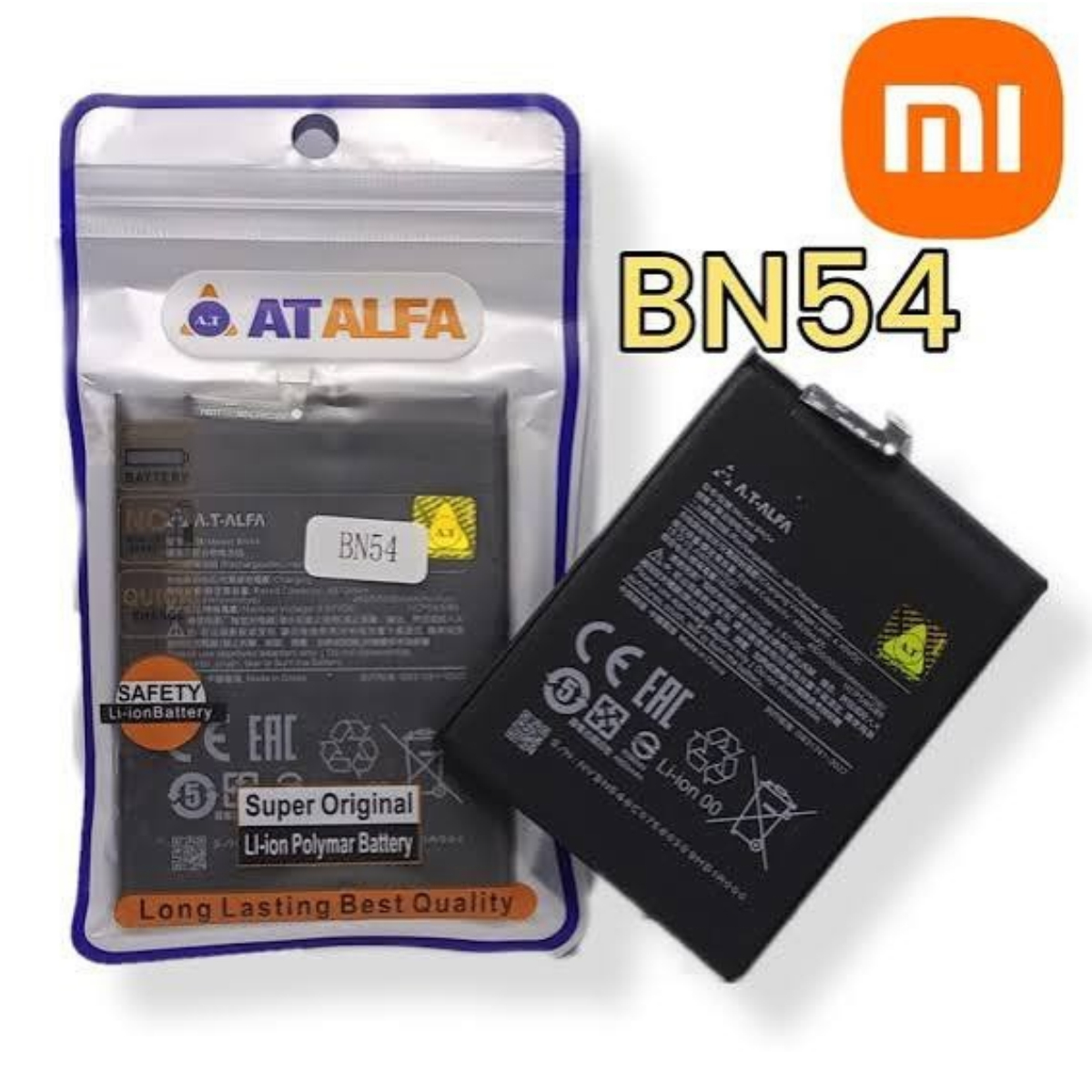
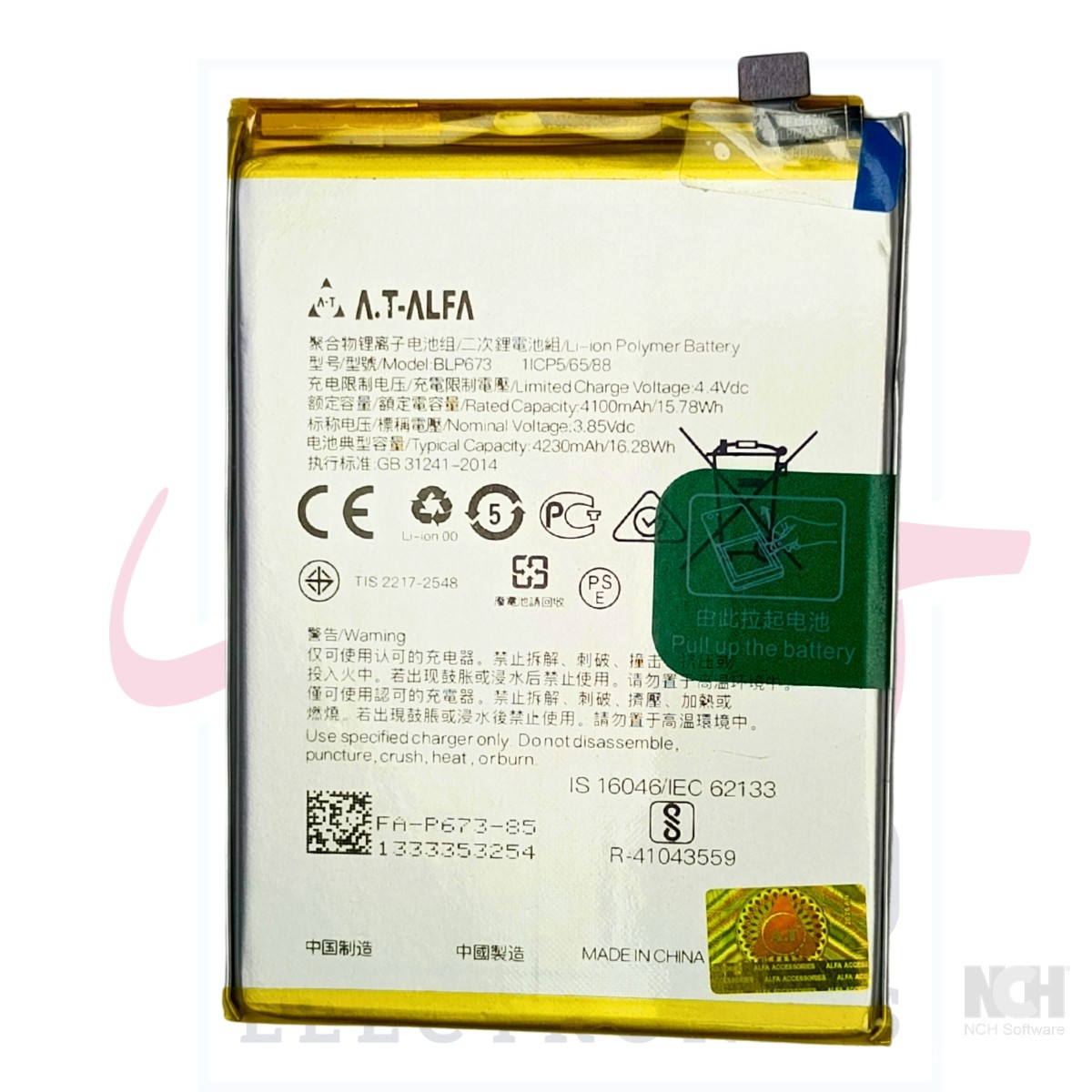
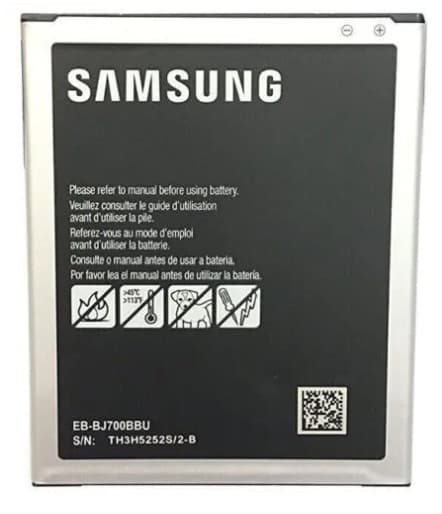
Most phone batteries have a model code printed on the label. Samsung uses codes like EB-BJ700BBU, Redmi and Xiaomi codes start with BN (the Redmi Note 9 uses BN54), and OPPO codes start with BLP (the OPPO A3s uses BLP673).
The code matters because:
Two phones with similar names can use different batteries.
One code often fits more than one phone in a series.
The code confirms the size, connector and voltage, which the phone name alone does not.
On a sealed phone the code is on the battery inside, so you may not be able to read it. Check your exact model in Settings → About phone instead and we can match it for you.
Genuine, OEM and high-copy batteries
Genuine / original: made by or for the phone brand. Usually the most expensive.
OEM-grade: made to the same specification by a parts maker. Quality depends on the supplier.
High-copy / replacement: made to fit and work like the original. Good ones work well; cheap ones may hold less charge than claimed and have weaker protection circuits.
Whichever you choose, buy from a seller who will take back a faulty battery.
What the mAh on the label really means
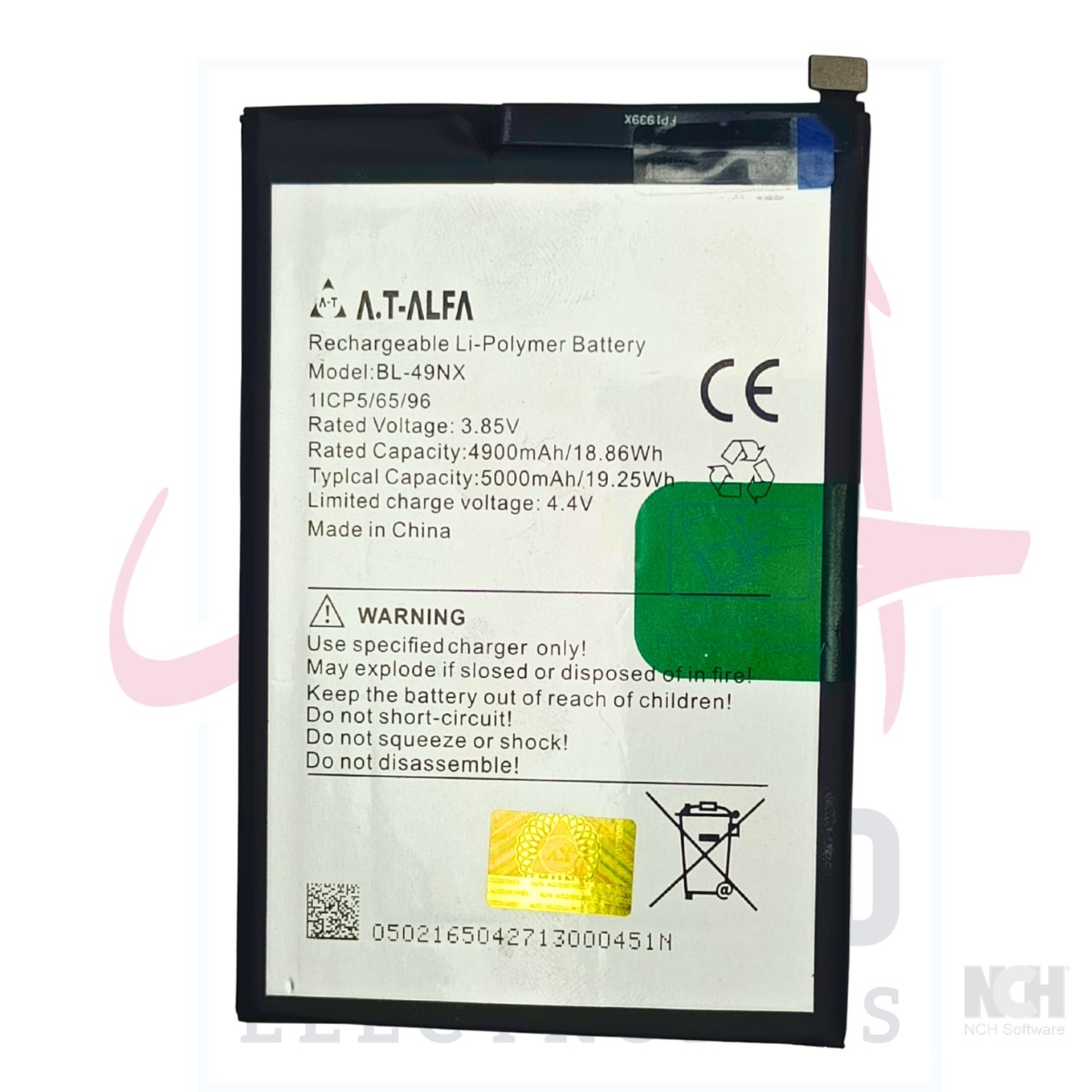
The mAh (milliamp-hour) figure shows how much charge a battery holds, and some cheap batteries print a much higher number than they can deliver. A battery the same size and weight as the original cannot hold double the charge. A figure close to the original, from a reliable source, is a better sign than a big number.
Smartphone vs keypad-phone batteries
Smartphone batteries are thin, flat packs with a small flex cable and connector, and in most modern phones they are glued in. Keypad phone batteries are usually removable blocks with metal contacts on one side, so changing one is as simple as taking off the back cover. Match the code (a Nokia BL-4E, for example) and check that the contacts line up the same way as on your old battery.
DIY or let a technician fit it?
For a keypad phone or any phone with a removable back, changing the battery yourself is easy and safe.
For sealed smartphones, we strongly recommend a technician:
Adhesive: the back panel or screen and the battery are held with strong glue, which needs controlled heat and proper tools to release.
Puncture risk: prying a lithium battery with a metal tool, or bending it, can short it and start a fire within seconds.
Flex cables and connectors: display, fingerprint and charging cables tear easily, and the battery must be disconnected before anything else is touched.
Water resistance: once opened, the phone loses its seal unless it is resealed properly.
If you still do it yourself, use only plastic tools, never force or bend the battery, and stop at once if you smell anything unusual or see smoke.
Safe disposal of old and swollen batteries
Never put a lithium battery in a fire or in household rubbish where it can be crushed.
Tape over the metal contacts or connector so they cannot short.
Until you can dispose of it, keep it somewhere cool and dry, in a metal or ceramic container away from anything that can burn.
Never puncture, crush or try to "flatten" a swollen battery.
Hand it to a mobile repair shop or e-waste collector that accepts lithium batteries.
Habits that make your new battery last longer
Avoid heat. Keep the phone out of the sun and parked cars, and remove a thick cover if it gets hot while charging.
Avoid 0%. Charge before the phone is nearly empty; partial top-ups are fine.
Use a good charger. A poor adapter or cable can charge unevenly and heat the phone. Choose a reliable mobile adapter that suits your phone.
Go easy while charging. Heavy gaming or streaming on the charger adds heat.
Turn on battery protection if your phone offers a setting that limits charging.
Phone battery replacement checklist
I have checked the symptoms, and battery health if my phone shows it.
The phone is not swollen. If it is, I have stopped using it.
I know the exact model from Settings → About phone.
I have the battery model code, from the old battery or the seller.
The mAh rating is close to the original, not wildly inflated.
The seller takes back faulty batteries.
A technician will fit it if my phone is sealed.
I know how I will dispose of the old battery safely.
Symptoms at a glance
| Symptom | Likely cause | What to do |
|---|---|---|
| Drains much faster than before | Worn battery or a power-hungry app | Check battery use by app; if nothing stands out, plan a replacement |
| Shuts down at 20–30% | Worn battery that cannot hold voltage under load | Replace the battery |
| Slow or on-off charging | Worn battery, bad cable or adapter, dirty port | Try a known good charger and cable first, then check the battery |
| Hot while doing little | Ageing battery, background apps or a fault | Close apps and restart; if it continues, have it checked |
| Back cover lifting or screen pushed up | Swollen battery | Power off, stop charging and see a technician straight away |
Frequently asked questions
How long does a phone battery usually last?
It depends on use, heat and charging habits. Many people notice a clear drop after a couple of years of daily use.
Will a new battery make my phone faster?
It can. Some phones slow themselves down when the battery is worn to avoid sudden shutdowns, and a healthy battery can stop that. It will not fix slowness caused by full storage or old hardware.
Can I use a battery with a higher mAh than the original?
Only if it has the correct model code and is made to fit your phone. Be wary of labels claiming far more capacity at the same size.
Is it safe to keep using a swollen battery?
No. Switch the phone off, stop charging it and have a technician remove the battery.
My phone has a sealed back. How do I find the battery code?
Check your exact model in Settings → About phone and send us the model name. We will match it to the right battery code.
Do you deliver batteries outside Burewala?
Yes, across Pakistan, with cash on delivery and free delivery on orders over Rs 5,000. If a battery arrives faulty, send us your unboxing video and order number on WhatsApp at 0300 7594322 within 3 days, as our return and replacement policy explains.
Find the right battery for your phone
A worn battery often does not mean you need a new phone. Check the signs, match the code and have a sealed phone fitted by a technician.
Browse our phone batteries, or WhatsApp us on 0304 4403336 with a photo of the code printed on your battery, or your exact phone model. Three generations of our family have helped customers find the right part, and we are happy to help you too.